
Assigned service orders
Every technician sees the list of assigned service orders with customer, site, asset, serial number, reported issue, priority, operational notes and linked documents.
Technician app
Check assigned jobs, update activities, record spare parts and complete the service report straight from a smartphone or tablet.
Daily route, job detail and customer signature.
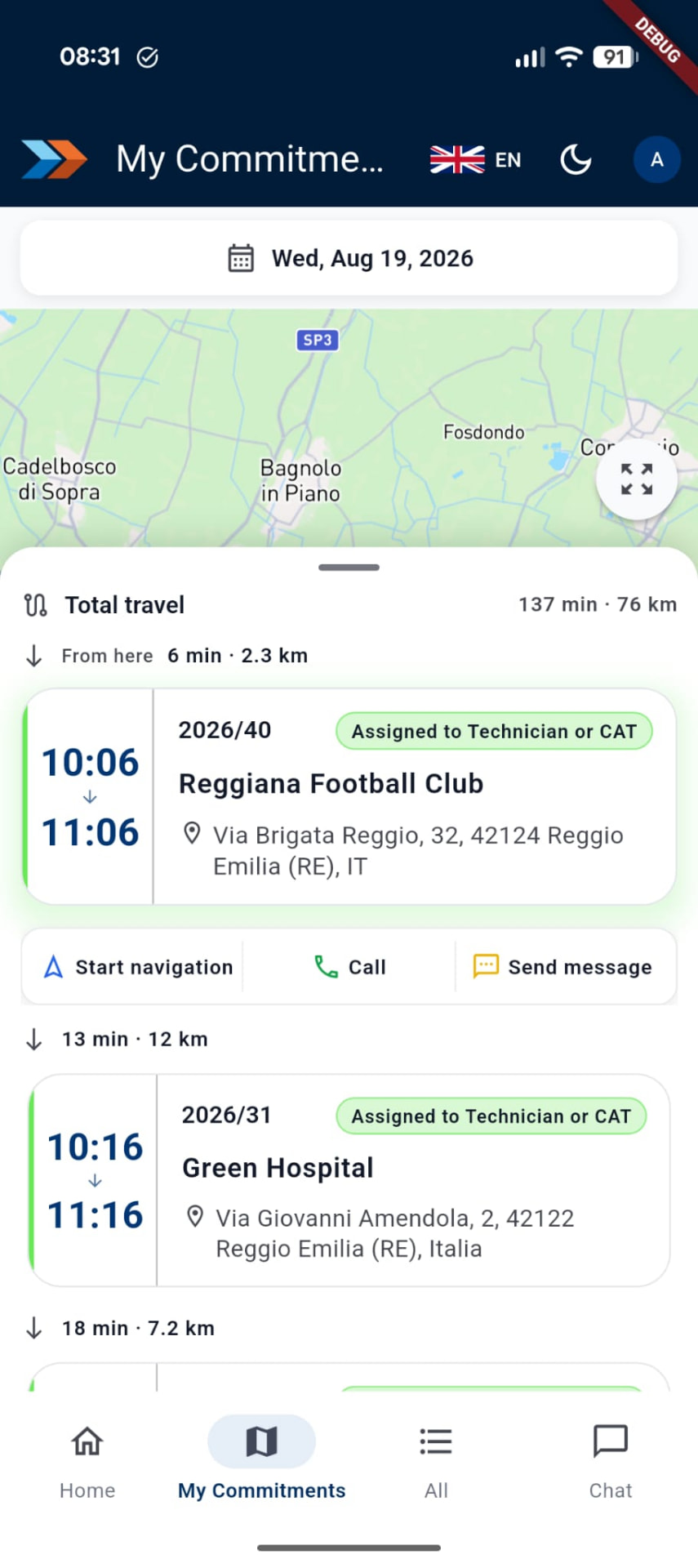
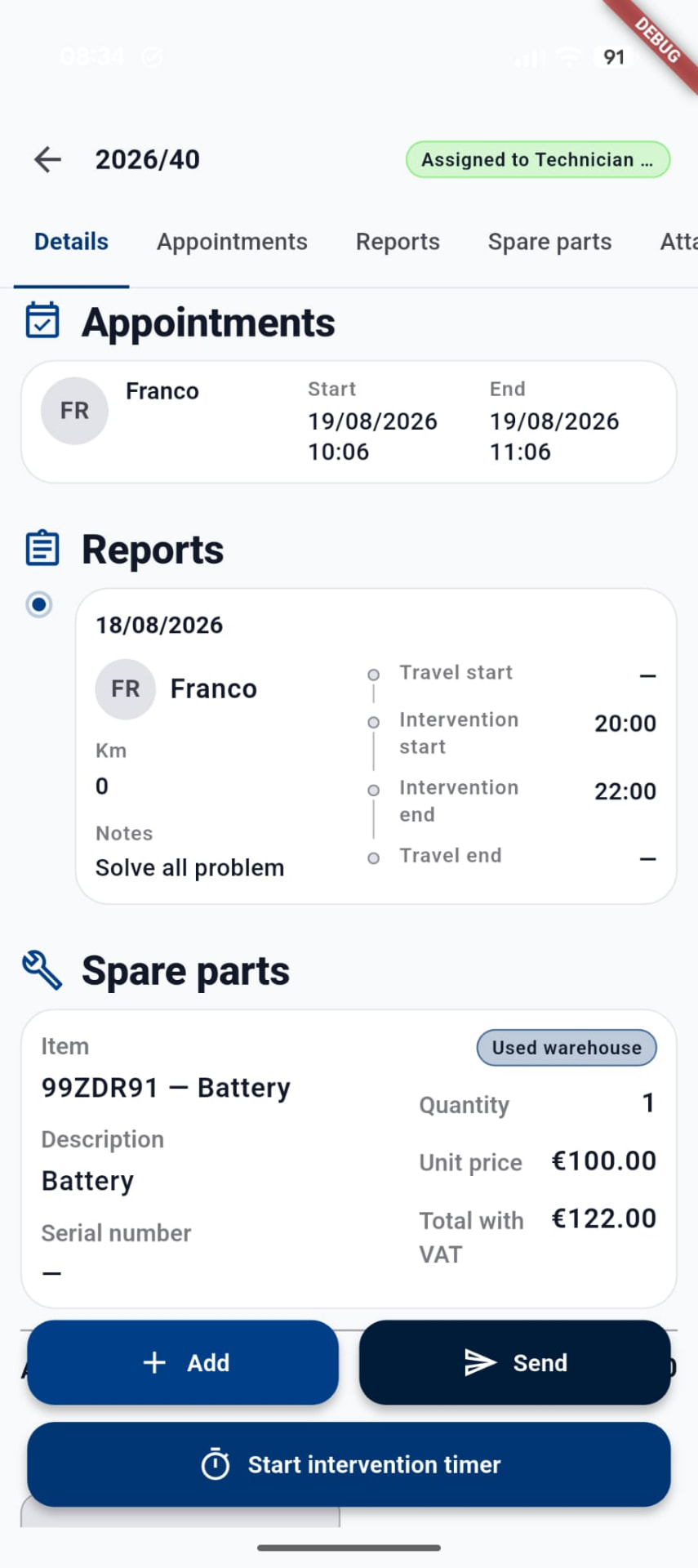
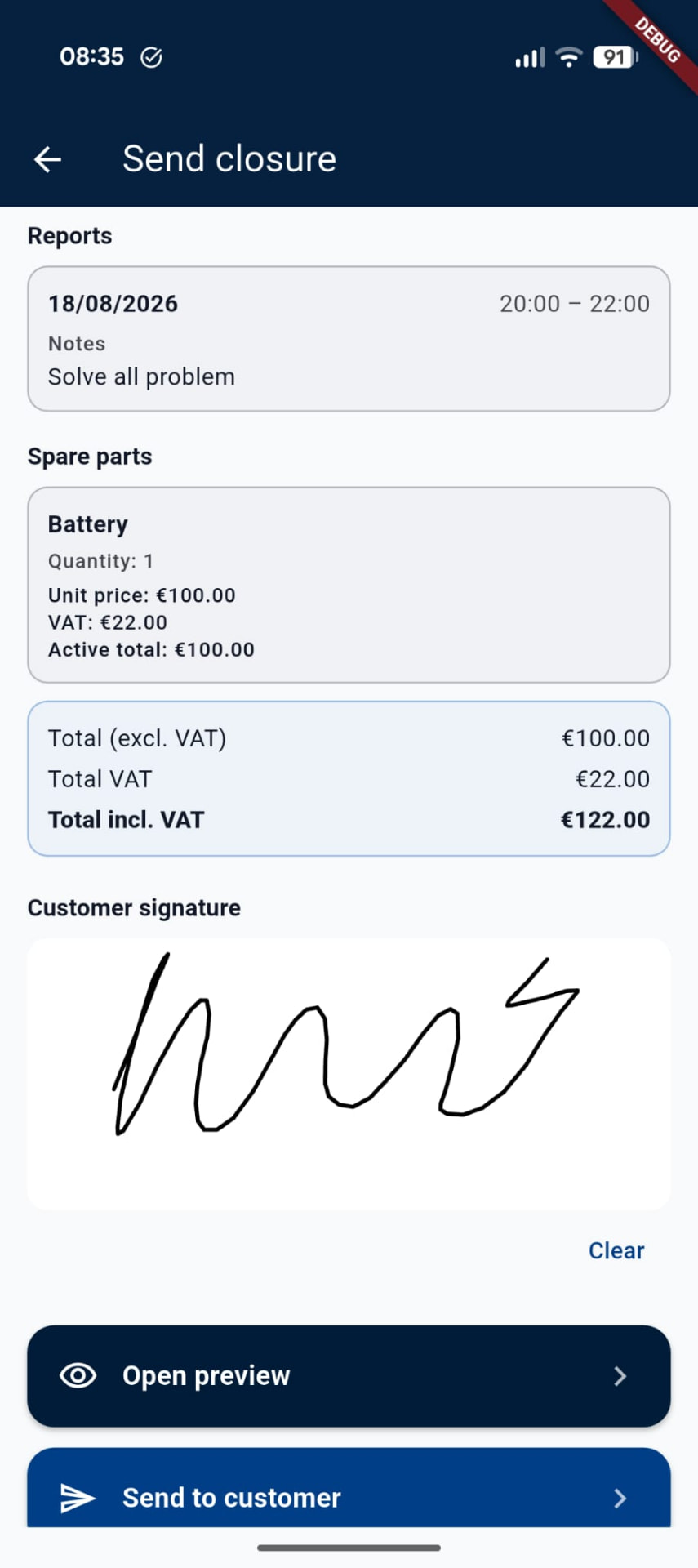
Every technician sees the list of assigned service orders with customer, site, asset, serial number, reported issue, priority, operational notes and linked documents.
An up-to-date calendar with daily and upcoming appointments, times, sites and activity status. Changes made by the manager appear immediately in the app.
The technician updates the service order status: work started, suspended, waiting for parts, rescheduled or completed. Updates are instantly visible at the office.
Diagnosis, work description, hours worked, travel times, outcome and technical notes automatically feed the service order history and the final report.
When the work is done, the technician closes the activity from the device after checking activities, outcome, hours, spare parts, final notes and any follow-up jobs.
Item search, quantity used and link to the service order. Parts still needed or unused materials can also be recorded.
ADonePRO automatically generates the issue movement from the central warehouse or from the technician's own stock, updating availability.
Photos and files can be attached directly from smartphone or tablet to document the issue, the serial number, the work done and the replaced components.
The report is generated from the data entered by the technician and can be customised with logo, company details and specific wording.
The customer reads and signs the report on the technician's device. The signature is attached to the document and archived in the service order.
After signing, the report can be sent automatically to the customer, with a customisable message and a copy always available in ADonePRO.
Progress, activities, spare parts, photos, documents, outcome and signed report are available in real time to operators and managers.
Personal credentials, role-based permissions, two-factor authentication, HTTPS connection and automatic session timeout.
A responsive interface optimised for field work, with light and dark themes, available in English and Italian.
Everything is handled directly in the field.
All the information and tools needed to handle the job without paper forms or constant calls to the office: calendar, progress, parts, photos, closing and signature on a single device.
The office receives up-to-date information from the job site: fewer calls, less manual data entry, stock kept current and documents ready faster.
Complete, immediate documentation of the work carried out, with the signed report sent automatically by email.
See how to manage tickets, jobs, technicians, contracts and spare parts in one platform. During the demo we will show the features that best fit your organisation.