
Creating the service order
A service order can be created manually, generated from a ticket or produced automatically by a maintenance plan. It collects customer, asset, contract, issue, priority and tasks to perform.
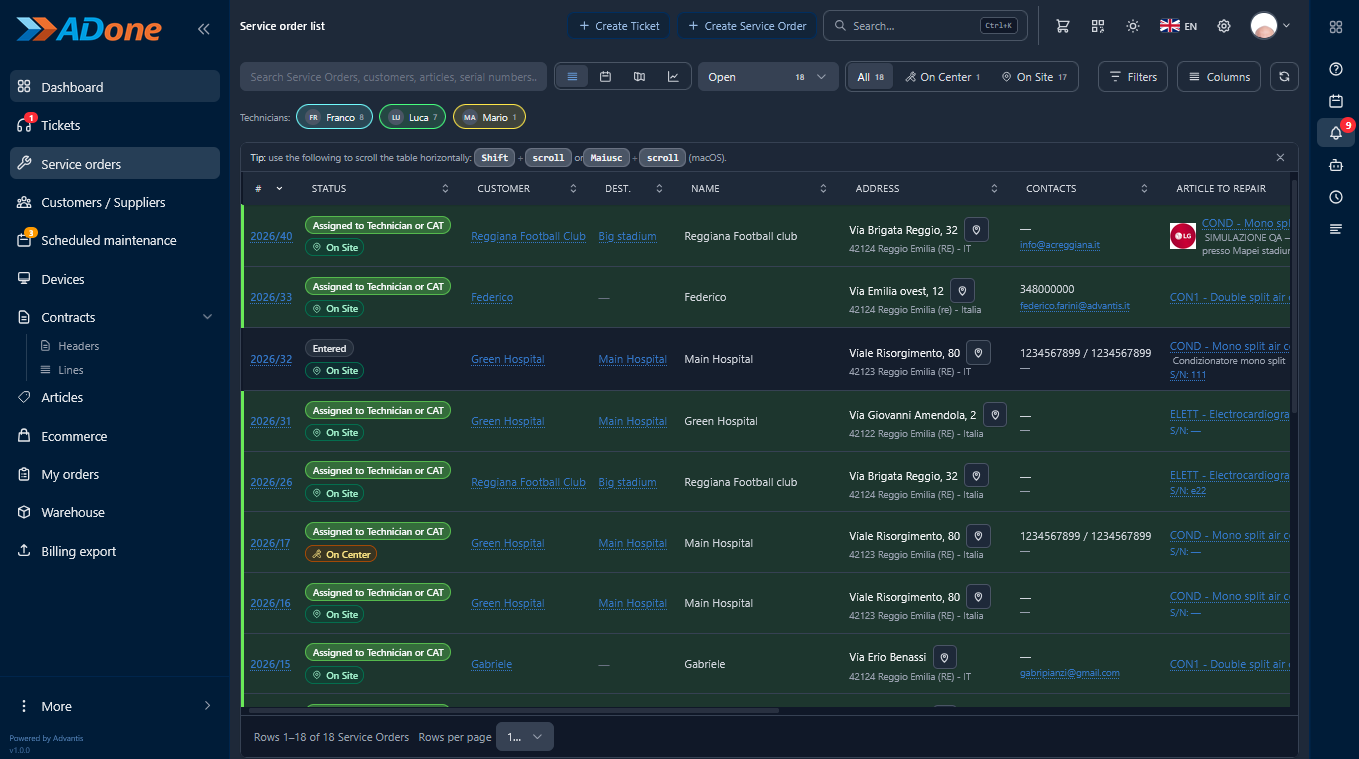
Service orders
Plan, assign and control on-site jobs and in-lab repairs within the same system.
A service order can be created manually, generated from a ticket or produced automatically by a maintenance plan. It collects customer, asset, contract, issue, priority and tasks to perform.
Customer visits are scheduled with date, time, technician and site. The technician can access all the information needed straight from a tablet or smartphone.
The product is registered on arrival at the workshop. Serial number, accessories, fault, diagnosis, spare parts and progress are tracked until it is returned.
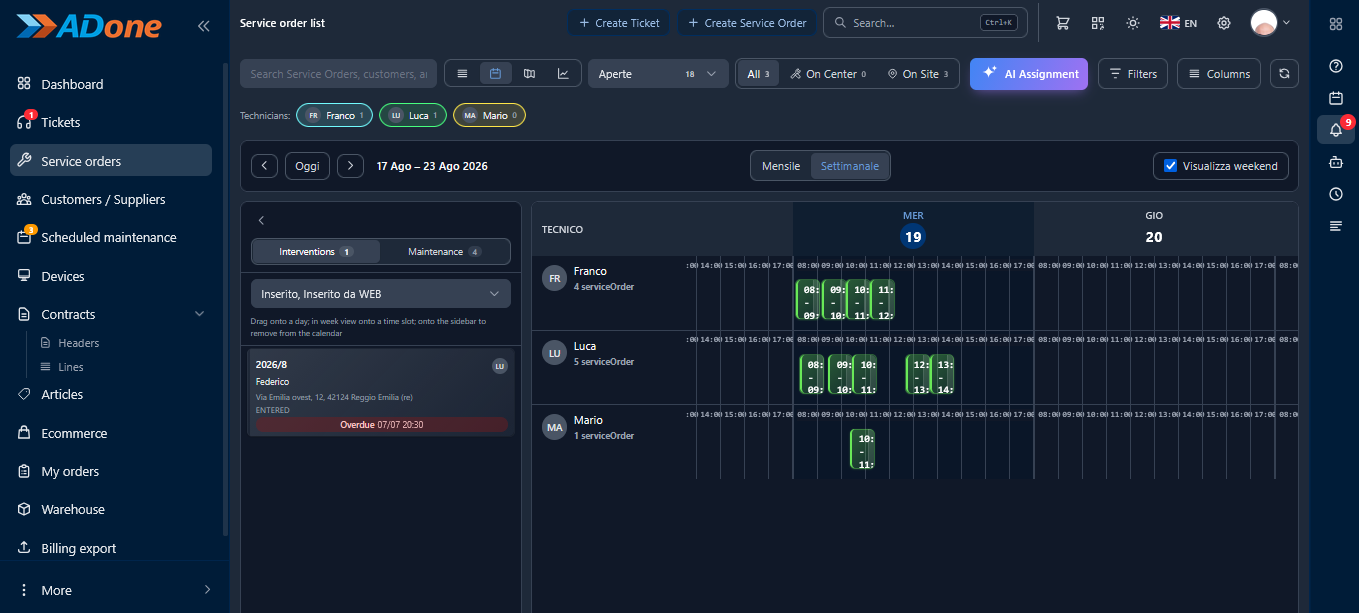
Jobs can be assigned manually or with the support of AI scheduling. Managers see appointments, availability and workloads at a glance.
During the job, activities, work description, outcome, hours worked and travel times are recorded and stay linked to the service order.
Technicians can record parts used and parts still needed. Availability is checked in real time and stock movements can be generated automatically.
Photos, technical documents and other files can be added to the service order to document the issue, the work done and the final result.
The service report can be signed by the customer directly on a tablet or smartphone. The signed copy is archived automatically.
Every job is linked to the asset, so previous faults, replaced parts, costs and past activities are always available.
ADonePRO automatically calculates deadlines and monitors response, intervention and resolution times. Orders approaching a deadline are highlighted.
From the service order you can create a quote with labour, spare parts and expenses. The document can be printed or emailed.
The report is generated from the information recorded by the technician and can include activities, times, materials, signature and custom terms.
On completion, outcome, dates, times, costs and final information are recorded. The service order becomes available for invoicing and analytics.
Product screens
Service order list and scheduling calendar: all in the same system.
See how to manage tickets, jobs, technicians, contracts and spare parts in one platform. During the demo we will show the features that best fit your organisation.